*Update*
See page 2 for Wreckage.
Posted by Sherade Wed Sep 05, 2007 7:15 pm

previousPrime wrote:The clock guy has impressive testicles.
Posted by Mulla Thu Sep 06, 2007 3:04 am
Sherade wrote:Well, it' a self-explanatory title, but it's a first try at it. it's very simple, yes, but I just wanted an opinion.

Posted by spiritofcat Thu Sep 06, 2007 7:42 am
Posted by Sherade Thu Sep 06, 2007 2:57 pm

previousPrime wrote:The clock guy has impressive testicles.
Posted by Deadpool. Thu Sep 06, 2007 10:36 pm

Posted by Sherade Fri Sep 07, 2007 3:05 pm
previousPrime wrote:The clock guy has impressive testicles.
Posted by spiritofcat Sat Sep 08, 2007 4:29 am
Posted by Sherade Sat Sep 08, 2007 8:17 am
previousPrime wrote:The clock guy has impressive testicles.
Posted by Cycrolus Sat Sep 08, 2007 5:02 pm
spiritofcat wrote:Optronix, for future reference, there's a nicer way of re-colouring things. Use the selection tool to select the colours you want to change and then use the Tools>Color Tools>Colorize option.
That will change the colour of what you've selected but still leave all the light and dark shading intact.
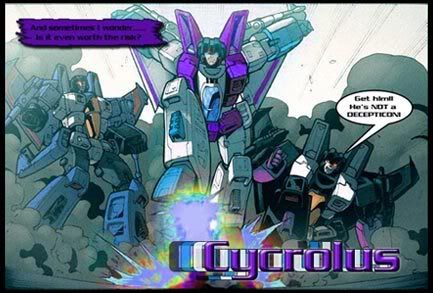
Posted by Sherade Sun Sep 09, 2007 4:00 pm
previousPrime wrote:The clock guy has impressive testicles.
Posted by spiritofcat Mon Sep 10, 2007 3:57 am
Cycrolus wrote:spiritofcat wrote:Optronix, for future reference, there's a nicer way of re-colouring things. Use the selection tool to select the colours you want to change and then use the Tools>Color Tools>Colorize option.
That will change the colour of what you've selected but still leave all the light and dark shading intact.
I use photoshop and desaturate all the color on the parts I want to color. Then use an overlay brush to add color and leave the highlights and shadows.
Posted by Cycrolus Mon Sep 10, 2007 12:56 pm
Sherade wrote:But, you're an expert.
Yeah that's why I get paid to do all these sigs.......riiiiggghht. Actually alot of the stuff I can do I tought my self I did take some classes but that was more technical stuff rather than fun.
Posted by Xeltecon Mon Sep 10, 2007 1:02 pm


Posted by Sherade Mon Sep 10, 2007 3:23 pm
previousPrime wrote:The clock guy has impressive testicles.
Posted by rpetras Wed Sep 12, 2007 4:36 pm

Posted by Sherade Thu Sep 13, 2007 8:43 am
previousPrime wrote:The clock guy has impressive testicles.
Posted by Sherade Mon Sep 17, 2007 4:25 pm

previousPrime wrote:The clock guy has impressive testicles.
Registered users: Apple [Bot], Bing [Bot], ChatGPT [Bot], Google [Bot], Google Adsense [Bot], Google Feedfetcher, kuhlio, MSN [Bot], OpenAI [Bot], Perceptor1996, Sabrblade, Yahoo [Bot], Yandex [Bot]